Version 7.0 · iPhone & iPad

Try the library
before you add
the dependency.

Before a package goes into your project, run its real demos on your own phone, feel how it behaves under your thumb, and read the exact code behind the screen. 50 libraries, one app, all offline — and every demo runs the version you would install today.

Free to download · No account, no sign-in · 4.3 ★ on the App Store

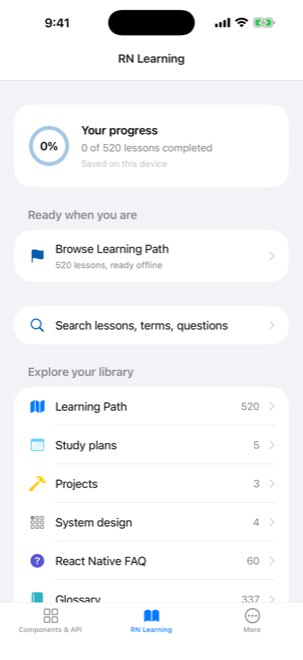
The RN Learning home screen, showing the size of the bundled library at a glance.
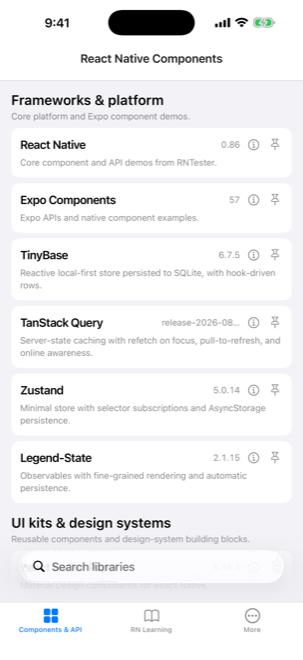
The library catalog, grouped into frameworks, UI kits, graphics and native integrations.
50runnable library demos
520lessons in 22 tracks
666interview questions
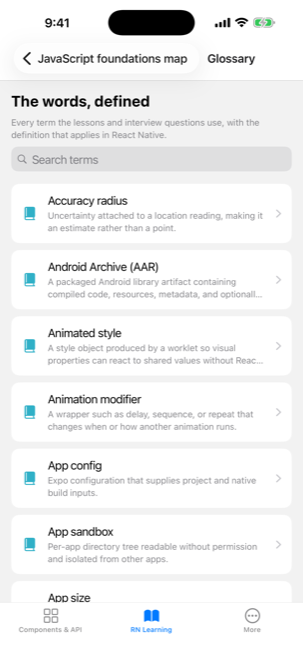
337glossary terms
100%works offline

Run the components.

Open any of the 50 libraries and use its demos for real — drag them, type into them, watch them animate, point the camera at something. Nothing here is a screenshot of a component.

Read the source.

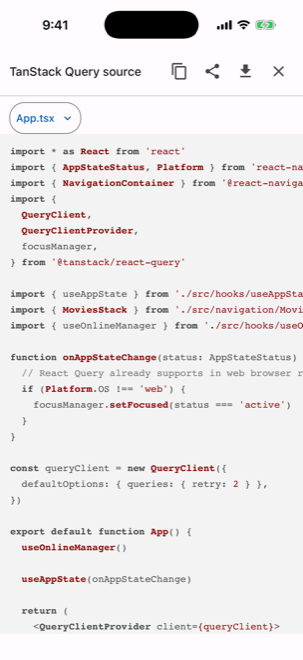
Tap the code button on any screen and the exact TypeScript behind it slides up, with a file switcher for multi-file demos and a copy button for the part you want.

Learn the framework.

And for when the decision turns into the build: 520 lessons, 666 interview questions and a 337-term glossary that opens inline, without losing your place.

Components & API

See your options running, then pick one

50 libraries ship a demo you can actually use; 5 more are documented because their behaviour only shows up in a vendor dashboard. Open one, drag it around, read the code that produced it — usually enough to know whether it belongs in your project, before it is in your package.json.

Running on device, right now

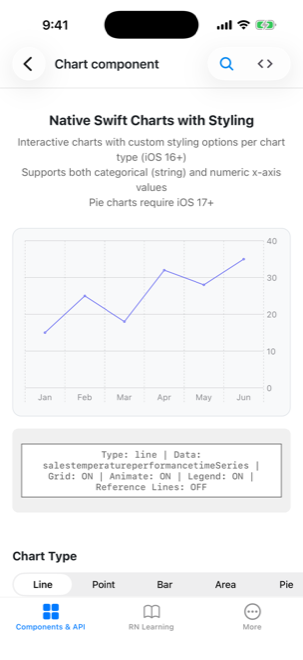
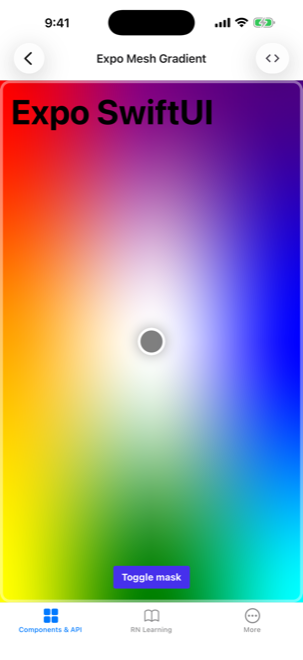
Expo UI running in the app.
Expo UINative SwiftUI charts, rendered from React
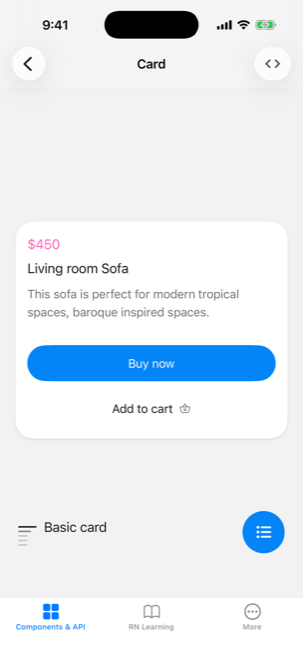
HeroUI Native running in the app.
HeroUI NativeA real product Card, not a spec sheet
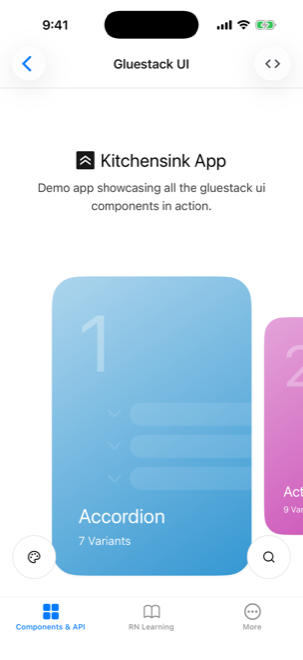
Gluestack UI running in the app.
Gluestack UIThe Kitchensink, component by component
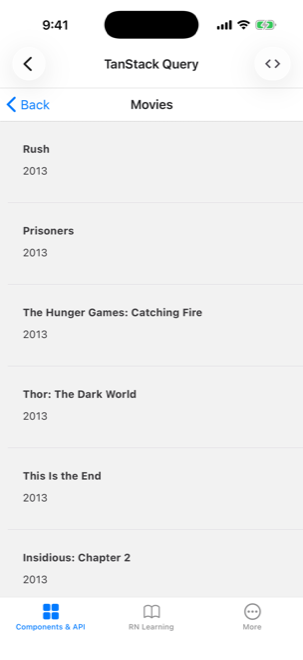
TanStack Query running in the app.
TanStack QueryLive data, refetch on focus, pull to refresh
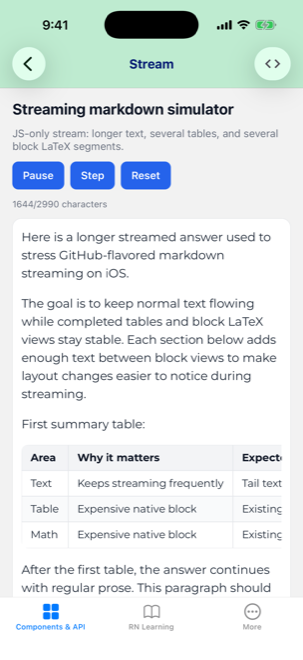
Enriched Markdown running in the app.
Enriched MarkdownMarkdown streaming into native views

Frameworks & platform

Core platform and Expo component demos.
  • React Native

    Core component and API demos from RNTester.

  • Expo Components

    Expo APIs and native component examples.

  • TinyBase

    Reactive local-first store persisted to SQLite, with hook-driven rows.

  • TanStack Query

    Server-state caching with refetch on focus, pull-to-refresh, and online awareness.

  • Zustand

    Minimal store with selector subscriptions and AsyncStorage persistence.

  • Legend-State

    Observables with fine-grained rendering and automatic persistence.

UI kits & design systems

Reusable components and design-system building blocks.

Graphics & motion

Canvas, charting, animation, and interaction demos.

Native integrations

Device capabilities and platform-service examples.
  • React Native Audio API

    Web Audio API-style audio graphs and playback for React Native.

  • React Native VisionCamera

    High-performance camera preview, capture, and video workflows.

  • React Native Device Info

    Device, hardware, and app metadata examples.

  • React Native Maps

    Interactive maps, markers, and overlays.

  • React Native NetInfo

    Network state and connectivity examples.

  • Notifee

    Local and remote notification workflows.

  • React Native Calendars

    Calendar, agenda, and date-selection views.

  • Sentry docs only

    Crash and error reporting: native crashes, source-mapped traces, release health.

  • Expo Haptics

    Notification, impact, and selection feedback across every preset.

  • React Native Haptic Feedback

    Cross-platform haptic triggers, custom patterns, and system-status checks.

  • ElevenLabs

    Realtime voice agent: WebRTC or WebSocket, text mode, and live audio meters.

  • Clerk

    Native sign-in, user button, and profile UI rendered by the Clerk SDK.

  • BugSnag docs only

    Crash reporting organized around per-release stability scores.

  • LogRocket docs only

    Session replay with the network, console, and Redux trail alongside it.

  • Vexo docs only

    Zero-configuration analytics that reads screens from your navigator.

  • LiveKit docs only

    Realtime WebRTC rooms: join, publish, and subscribe to audio and video.

  • Pulsar

    Haptic presets, realtime pattern composition, and the low-level haptics API.

  • Expo Notifications

    Permissions, channels, categories, scheduling, and push tokens.

  • Expo Live Photo

    Play iOS Live Photos with content fit, mute, and gesture options.

  • React Native WebView

    Embedded web content: messaging, injection, downloads, and custom menus.

  • Expo SQLite

    On-device SQL storage with migrations, transactions, and a provider.

  • React Native MMKV

    Synchronous key-value storage with change listeners and hooks.

  • RevenueCat

    Paywall, entitlement checks, login/logout, and restore purchases.

  • React Native AI

    On-device Apple Intelligence chat, structured output, speech, and transcription.
Source viewer

Read the source, not the docs

Knowing how a library looks is half the decision; the other half is how much code it takes. Every demo carries a code button in its header, and the actual TypeScript behind the screen slides up — no context switch to a browser, no hunting through a repo.

  • Multi-file demos get a file switcher — jump between the screen, its hooks and its styles.
  • Syntax highlighted, with copy, share, and save-to-file built in.
  • The version you see is the version installed — each catalog entry shows the exact release the demo is built against.
  • Fuzzy search and pinned favourites keep the screens you return to one tap away.
The source viewer open over the TanStack Query demo, showing App.tsx syntax-highlighted with a file switcher and copy, share and save controls.
RN Learning

A curriculum, not a link dump

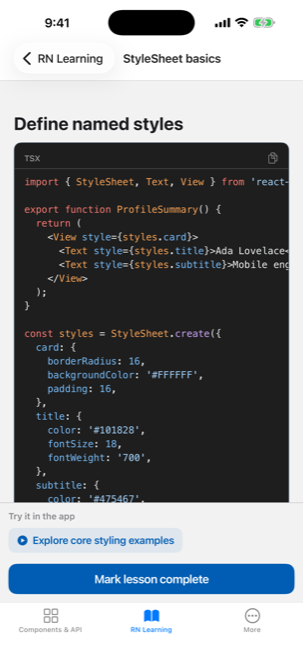
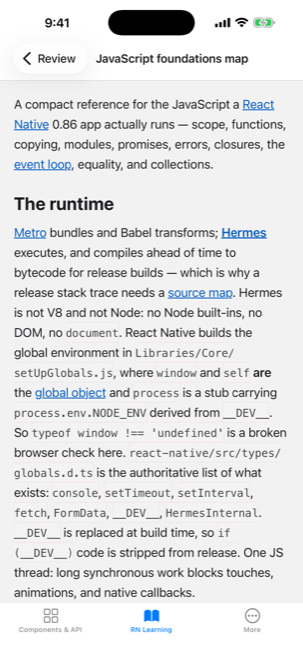
520 lessons across 22 tracks, from JavaScript foundations to the New Architecture and shipping with AI. Every code sample compiles against the installed React Native 0.86, React 19.2 and Expo SDK 57 — if a sample would not build, the app would not have shipped.

01JavaScript foundations
02TypeScript for React Native
03React 19 essentials
04React Native foundations
05Styling and layout
06Navigation
07Lists and data display
08Forms and input
09Animation and gestures
10The New Architecture
11Native modules and platform code
12State and data
13Native device capabilities
14Performance
15Testing and quality
16Release engineering
17Architecture and production patterns
18Security and privacy
19React Native internals
20AI-powered app features
21Building with AI
22What next

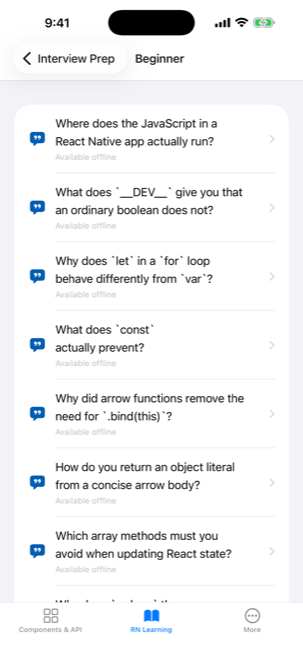
Interview prep that goes deeper

666 questions with short answers and full explanations, plus 1,317 follow-ups — the ones an interviewer actually asks next. Graded for junior, mid and senior.

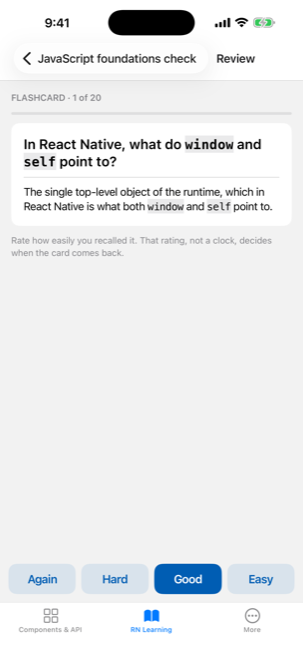
Spaced repetition

430 flashcards and your interview questions on one review schedule, so the things you nearly remembered come back at the right moment.

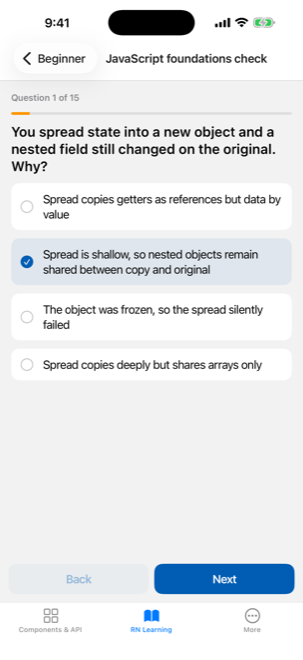
36 quizzes, 540 questions

Every answer carries an explanation, so a wrong pick teaches you something instead of just marking you down.

Reference you can actually use

17 cheat sheets, 11 decision guides, 40 code challenges, 30 snippets, 5 release-day checklists and 60 FAQ answers.

One search, everything

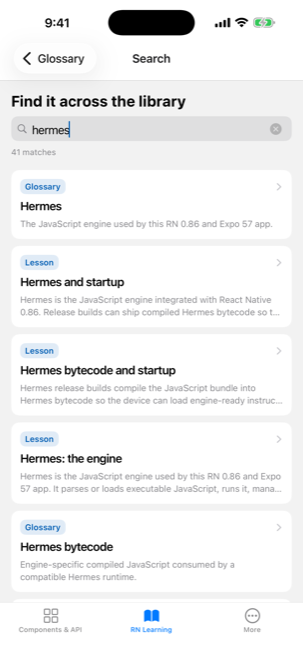
Search lessons, glossary terms, questions and cheat sheets at once. Tap any of the 337 glossary terms inline without losing your place.

Entirely offline

The whole library ships inside the app as a bundled database. No account, no sign-in, no network — on a plane or in the waiting room before the interview.

Screens

A look inside

Pricing

One purchase. No subscription. Nothing expires.

The whole component catalog is free, forever. The learning library opens each section for free, and a single purchase unlocks the rest.

Free

No account required

  • All 50 library demos, in full
  • The source viewer on every demo
  • Search, pinned favourites, deep links
  • The opening of every learning section
  • Supported by a small banner ad

Full unlock

One-time purchase — pick your tier

  • Every one of the 520 lessons
  • All 666 interview questions and 1,317 follow-ups
  • Every quiz, flashcard, cheat sheet and guide
  • Ads removed for good
  • Restores on your other devices
Questions

Before you download

Does it need an internet connection?

No. Every lesson, question, quiz and glossary term ships inside the app in a bundled database, and the demos run locally. Two things do reach the network when it is available: the source viewer fetches code from GitHub, and the catalog pulls live npm and GitHub metrics for each library.

Do I need an account?

No. There is no sign-in, no email, and no profile. Your progress is stored on your device in a separate database from the content, so a content update never wipes what you have completed.

Is it a subscription?

No, and it never will be. The unlock is a one-time purchase with several tiers — pick whatever feels fair — and it unlocks everything permanently. If you bought the lifetime unlock in an older version, it carries over; use Restore Purchases in the More tab.

Which versions are the demos built against?

React Native 0.86, React 19.2 and Expo SDK 57, with the New Architecture and React Compiler enabled. Each catalog entry shows the exact version of the library its demo is running, so you are not reading a demo written three majors ago.

Is this affiliated with the libraries it demonstrates?

No. Most demos are the libraries' own official examples, vendored and kept current; a couple are written for this catalog and say so on screen. Every entry links to the library's real docs, npm page and repository.

How do I report a bug or ask for a library?

Use the feedback form or email saravanakumargn@gmail.com. Requests for new libraries are genuinely welcome — most of the catalog got there that way.

Start exploring

Free to download on iPhone and iPad.